How to Safely Buy & Redeem Xbox Gift Cards[2026]
Leveling up your gaming experience has never been easier thanks to the versatility of an Xbox Gift Card. Whether you are looking to grab the latest blockbuster game, secure some premium downloadable content, or gift a friend their next digital adventure, a Microsoft Xbox Gift Card is your ultimate ticket. In this comprehensive guide, we will walk you through exactly what these cards are, how to get your hands on them, the best ways to spend your balance, and exactly how to redeem your codes without a hitch.
What is an Xbox Gift Card?
You can use an Xbox Store Card by adding it to your Microsoft account balance to purchase a wide variety of digital content. Here is what makes them so great:
- Digital Store Credit: It acts as prepaid currency that you can spend across your Xbox consoles, Windows PCs, and the Microsoft Store.
- Buy Games and Add-ons: The funds can be used to purchase full digital video games, downloadable content (DLC), and in-game items.
- Premium Subscriptions: You can seamlessly apply your gift card balance to pay for services like Xbox Game Pass or PC Game Pass.
- Entertainment Options: Beyond gaming, the credit can be spent on renting or buying movies, TV shows, and applications.
- No Credit Card Needed: It provides a safe and easy way to make online purchases without linking a personal credit or debit card.
- Simple Redemption: To claim the funds, simply enter the 25-character code directly on your console or through the Microsoft website.
- No Expiration: Any redeemed funds remain safely in your Microsoft account for future shopping and do not expire.
- Country-Specific: Cards are region-locked and only work on accounts that match the specific currency and region where they were issued.
How to Get Xbox Gift Cards?
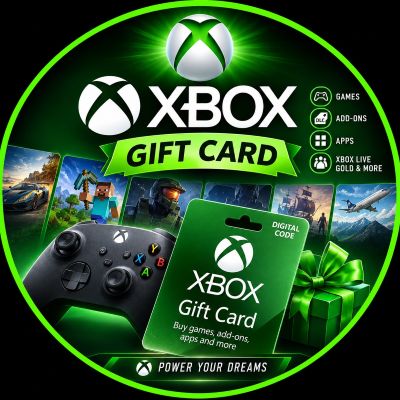
You can acquire an Xbox Gift Card either by purchasing it from authorized retailers or by earning it through reward programs. Here are the best methods:
- Physical Retailers: Buy physical gift cards from local supermarkets, electronic stores, gaming shops, or convenience stores.
- Online Marketplaces: To buy Xbox Gift Card online, purchase digital codes directly from trusted online retailers like Amazon, Best Buy, or Walmart.
- Microsoft Store: Buy digital gift cards directly from the official Microsoft Store website or straight from your Xbox console.
- Microsoft Rewards: If you are wondering how to get free Xbox gift cards, you can earn points by using the Bing search engine or playing games, and redeem those points for a free Xbox gift card.
- Digital Delivery: When purchasing online, the 25-character code is usually delivered instantly to your email address for quick access.
- Various Denominations: Choose from a wide variety of card values, typically ranging from $10 to $100, to perfectly suit your budget.
- Direct Gifting: Purchase an Xbox digital gift card online and send it directly to a friend’s email address as a fast and convenient present.
- Third-Party Apps: Participate in trusted cashback, survey, or loyalty apps that offer free Xbox codes as a payout option.
Important Tip: Always ensure you purchase or claim a gift card that matches your specific region, as Xbox cards are strictly region-locked. Additionally, stay safe from scams promising an Xbox gift card code free with zero effort; only use trusted reward programs like Microsoft Rewards.
How to Use an Xbox Gift Card?
Understanding how to use Xbox gift card funds opens up a world of entertainment. You can apply your redeemed balance to purchase various digital content across Microsoft platforms:
- Buy Digital Games: Use your available credit to purchase full digital video games for your Xbox console or Windows PC.
- In-Game Purchases: Spend your funds on virtual currency, battle passes, cosmetic items, and downloadable content (DLC).
- Premium Subscriptions: Apply your balance to act as an Xbox Game Pass gift card or Xbox Live gift card to pay for monthly gaming subscriptions like Xbox Game Pass Ultimate.
- Movies and TV: Rent or purchase the latest blockbuster movies and television shows directly through the Microsoft Store.
- Hardware and Accessories: In some regions, you can use your account balance to buy controllers, headsets, or consoles from the Microsoft Store.
- Automatic Deduction: Your available gift card balance is automatically selected as the default payment method during the checkout process.
- Split Payments: If an item costs more than your current balance, you can seamlessly pay the remaining amount with a linked credit or debit card.
- Cross-Platform Usage: The same account balance can be spent seamlessly across your Xbox, Windows PC, and mobile Xbox apps.
How to Redeem an Xbox Gift Card?
Wondering exactly how to redeem Xbox gift card codes? You can redeem it either by entering the code directly on your console or by using a web browser on any device.
- Find the Code: Gently scratch off the silver coating on the back of a physical card or locate the 25-character Xbox gift card codes in your digital receipt.
- Redeem on Console: Press the Xbox button, open the Store app, press the View button to open the side menu, and select “Redeem.”
- Redeem via Browser: Open a web browser, go to redeem.microsoft.com, and sign in to your Microsoft account.
- Enter the Code: Carefully type the 25-character code into the designated text box; the system usually formats the hyphens automatically.
- Confirm the Funds: After entering the code, click “Next” and confirm the prompt to permanently add the funds to your account balance.
- Windows PC Option: Open the Xbox app or Microsoft Store app on your Windows PC, click on your profile icon, and select “Redeem.”
- Account Verification: Always ensure you are logged into the correct Microsoft account, as redeemed funds cannot be transferred to another account later.
- Instant Availability: Once successfully claimed, the funds are immediately available for use and will never expire.
Note: Double-check your Microsoft account email before hitting “Confirm” to guarantee your funds are deposited into your primary gaming profile.
Why an Xbox Gift Card Is Worth It
An Xbox Gift Card is incredibly versatile, giving you full control over how you want to upgrade your gaming library and digital entertainment. Whether you buy one online or earn a free code through rewards, redeeming and using your funds is a fast, safe, and rewarding process.