5 Easy Ways to Redeem Your Amazon Gift Card Fast
Looking for the quickest way to turn your gift voucher into shopping balance? An Amazon Gift Card gives you instant access to millions of products without needing a personal credit or debit card.
Whether you received a physical card as a present or got an e-gift code via email, here is our complete, step-by-step guide to redeeming your Amazon Gift Card fast and securely.
What is an Amazon Gift Card?
An Amazon Gift Card is a prepaid voucher (available as a physical plastic card or an instant digital claim code) that adds balance directly to your Amazon account. It offers a secure, credit-free way to make both physical and digital purchases.
What you can do with it:
- Endless Shopping: Purchase millions of physical items, Kindle e-books, subscriptions, and digital games on Amazon.
- Convenience: Shop securely online without needing to link a personal credit or debit card.
- Perfect Gifting: A highly flexible gift choice that lets the recipient pick exactly what they want.
- No Expiration: Amazon gift card balances never expire and have no hidden maintenance fees.
👉 Step-by-Step Guide: 5 Easy Ways to Redeem Your Code
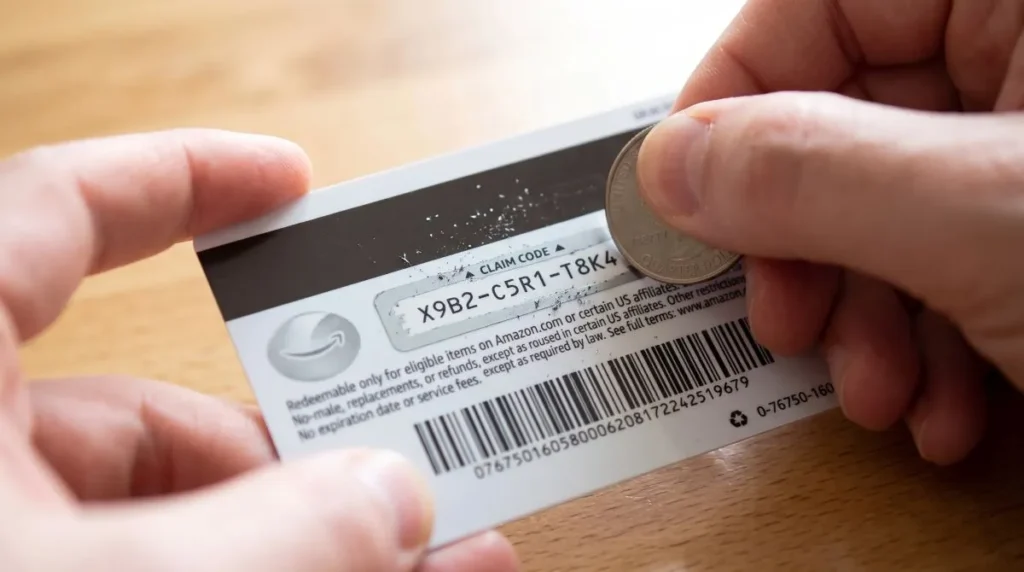
Before spending your funds, you must add the gift card to your Amazon balance. Make sure you locate your 14 or 15-character alphanumeric claim code.
Method 1: Redeem via the Amazon Mobile App (iOS & Android)
- Open the Amazon App and sign in.
- Tap the User Profile icon (the person silhouette at the bottom menu).
- Scroll down to the Payments & Balance section and tap Manage Gift Card Balance.
- Select Redeem another Gift Card.
- Type in your claim code and tap Apply to your balance.
Method 2: Scan Claim Code with Your Phone Camera (Fastest)
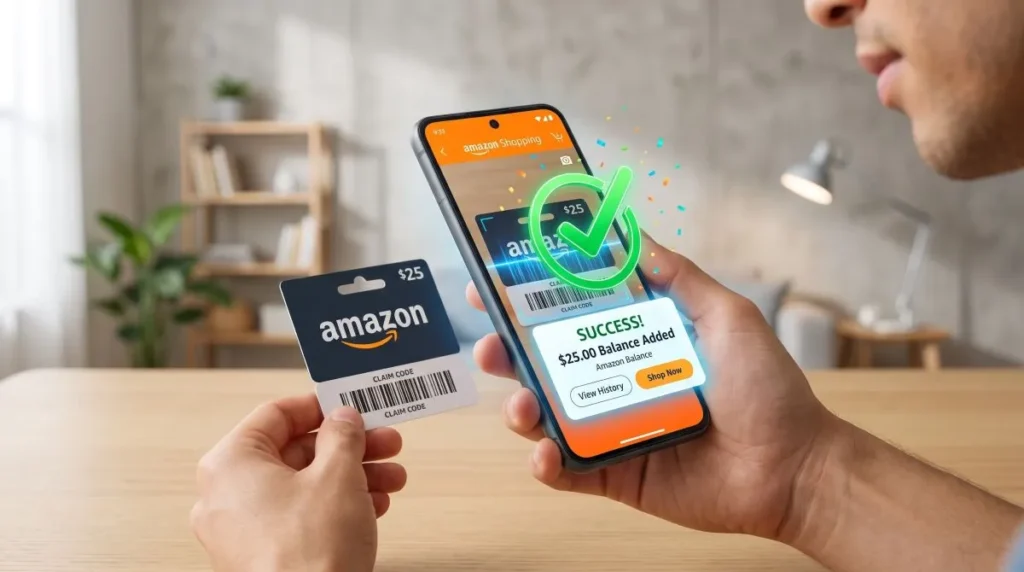
- Go to Redeem Gift Card on the Amazon mobile app.
- Tap the Scan your claim code button.
- Align your phone’s camera over the physical gift card’s barcode or code.
- The app will automatically capture the code—just tap Apply to your balance.
Method 3: Redeem via Desktop Web Browser
- Visit Amazon.com and log in.
- Hover over Account & Lists in the top right and click Account.
- Click on the Gift Cards tile.
- Click Redeem a Gift Card.
- Enter your claim code into the box and click Apply to your balance.
Method 4: Redeem Directly During Checkout
- Add your desired products to the cart and proceed to Checkout.
- On the Payment Method review page, scroll to Gift Cards & Promotional Codes.
- Enter your claim code and click Apply.
- The total purchase amount will instantly be deducted from your gift card balance.
Method 5: Direct 1-Click Link (Fast URL Method)
- In any browser, navigate directly to amazon.com/gc/redeem.
- Log in if prompted.
- Paste your code and hit Apply to your balance. The funds are available immediately!
How to Use Your Amazon Gift Card Balance
Once redeemed, your money stays safely stored in your Amazon Gift Card Balance and never expires. Here is how to use it:
- Automatic Checkout: When placing an order, your available gift card balance is automatically selected and applied to eligible purchases.
- Split Payments: If your purchase total exceeds your gift card balance, Amazon allows you to pay the remaining amount using a linked debit or credit card.
- Direct Use: Simply proceed to checkout—no need to type sensitive banking details if your gift card balance covers the entire cost.
How to Get an Amazon Gift Card?
You can easily get an Amazon Gift Card through several trusted methods:
- Direct from Amazon: Purchase instant digital e-gift codes via email or SMS directly from the Amazon website or app.
- Physical Retailers: Pick up scratch-off physical cards from local supermarkets like Walmart, Target, and Best Buy.
- Reward Platforms: Earn points by completing simple surveys or tasks on legitimate platforms like Swagbucks and Fetch Rewards.
- Credit Card Rewards: Convert accumulated credit card reward points directly into Amazon gift cards.
💡 Important Tip: Always buy a card that matches your region (e.g., Amazon.com cards only work on the US store). Also, never share your claim codes with unknown callers, as this is a common scam.
Troubleshooting: Common Gift Card Issues
- “Claim Code Already Redeemed”: Check your account’s gift card transaction history. Often, the code was already redeemed automatically or used by another household profile.
- “Invalid Claim Code”: Double-check commonly mistaken characters. For example, the number 0 and the letter O, or the number 1 and capital I / L.
- Regional Restrictions: A US Amazon gift card cannot be redeemed on Amazon UK (.co.uk), Amazon Germany (.de), or other regional portals.
Final Thoughts on Amazon Gift Cards
With no expiration dates and endless shopping choices, an Amazon Gift Card is truly the perfect digital wallet. Now that your funds are safely added to your Amazon balance, you are all set to grab your favorite items without any extra fees. Happy shopping!